Cost-plus billing your clients actually trust.
Stak keeps budgets, job costs, and change orders organized per project, then produces clear client bills that separate budgeted work from change orders. Markups and taxes are calculated for you, and every line ties back to its source invoice — a transparent, auditable record your clients can trust.
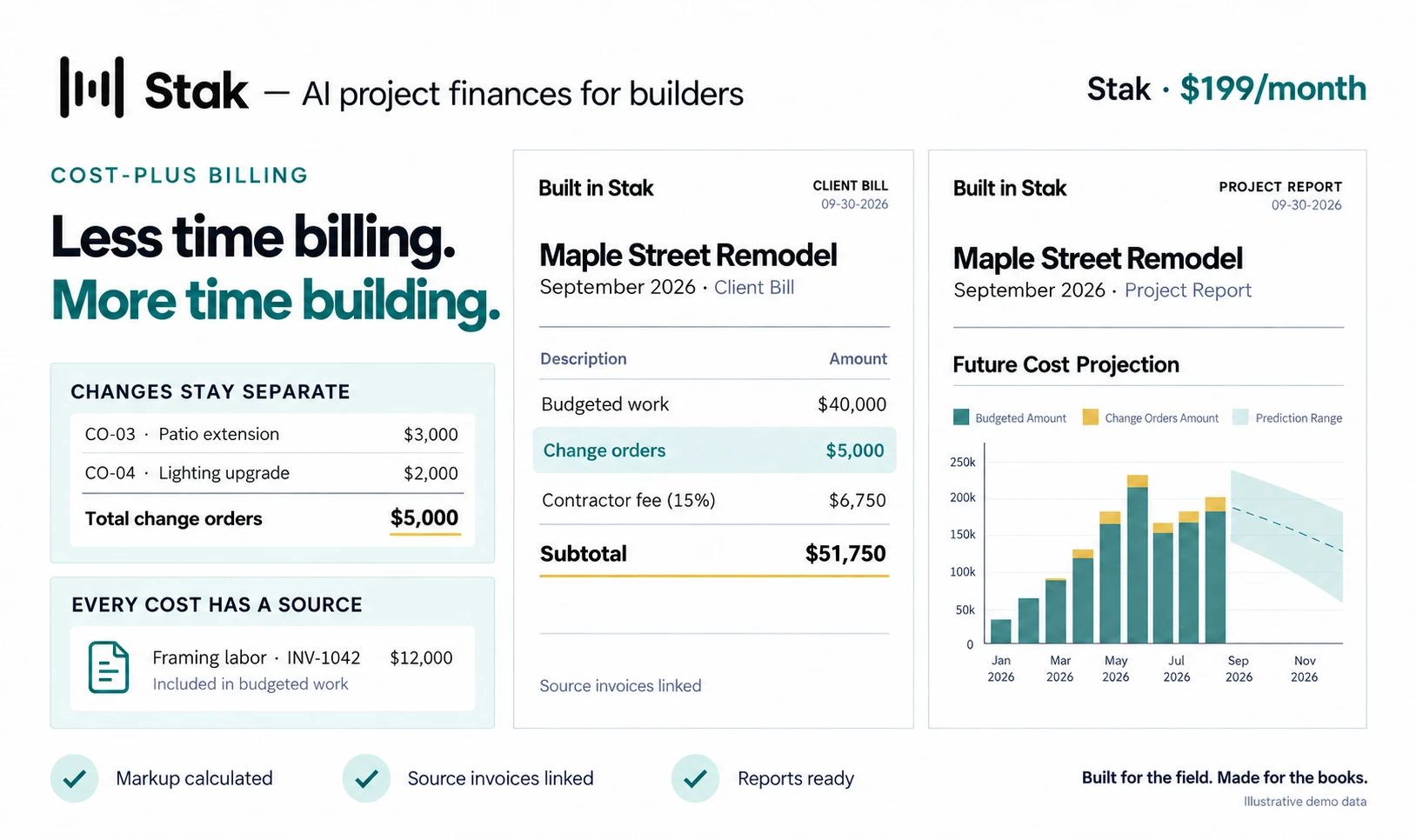
Cost-plus only works when it's airtight.
Run it by hand and the margin leaks — in lost receipts, hours of data entry, and clients who don't trust the bill. Here's what Stak tightens up.
- Margins that vanish
- On cost-plus jobs, profit leaks out under a pile of untracked receipts. Stak captures every cost against the project, so nothing slips.
- Hours per invoice
- Building an airtight cost-plus invoice by hand takes hours — and one slip hits your margin. Stak assembles the bill for you from the source invoices.
- Bills clients don’t trust
- Cost-plus fails loudly without transparency — disputes, questioned markup, bad reviews. Stak’s bills show clients exactly where the money went.
- Markup math by hand
- Tracking per-project markup and keeping sales tax right is error-prone manually. Stak calculates markup for you and keeps sales tax up to date.
How a Stak cost-plus bill gets built.
From the first receipt to the client bill, the whole process in one place.
- 1
Capture the cost
Every receipt, subcontractor invoice, and vendor bill is captured against the project — by AI, from a photo or a forwarded email.
- 2
Predict the cost code
Stak’s AI codes each cost to the right cost code as it comes in, so the budget stays current and your client sees exactly where their money is going, overages included.
- 3
Separate budgeted vs. change order
Budgeted work and change orders stay isolated, so scope changes are always clear.
- 4
Assign the markup
Stak applies your per-project markup automatically and keeps sales tax up to date.
- 5
Produce the client bill and reports
A clean, branded client bill with its reports, every line tied back to its source invoice, plus budget-to-actuals by cost code.
- 6
Send them all at once
Every bill goes out from Stak in one batch, each with an AI-drafted email you can edit and the attachments you choose.
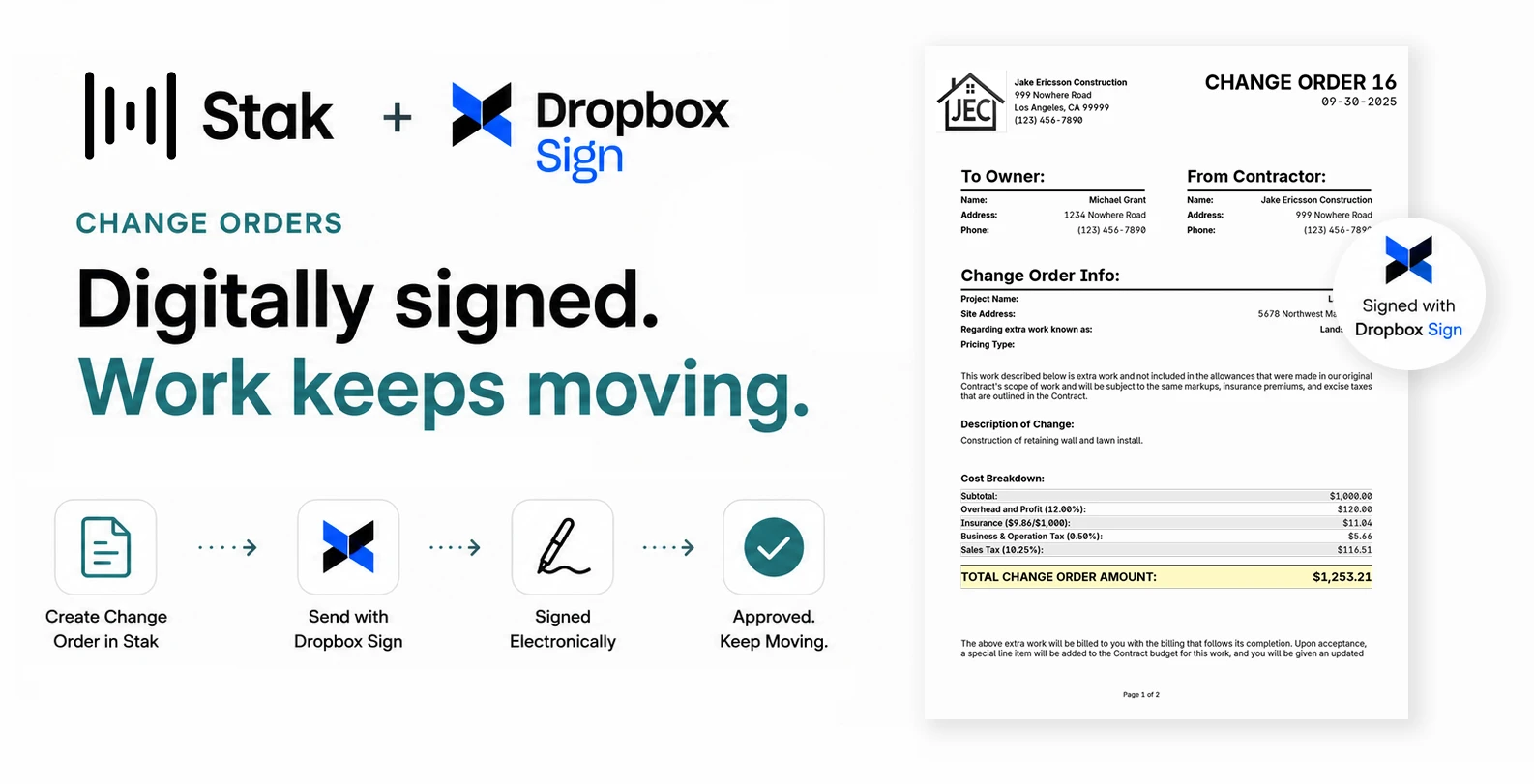
Change orders signed in minutes, not days.
Create a change order in Stak and send it straight to your client for a legally binding digital signature through Dropbox Sign. Approvals come back in minutes, not days — so scope changes never stall the job, and every change stays isolated from budgeted work.
Bills out in bulk. Every email written for you.
Each client bill goes out with its reports attached and an email Stak drafts for you. Overdue reminders, compliance notices to vendors whose license or insurance has lapsed, and questions to a vendor who has gone over contract all send the same way — in bulk, instead of one short email at a time.
- To: SarahClient bill
- To: MarcusClient bill
- To: The Cortez buildClient bill
Hi Sarah — attached is your September bill for the Maple St. remodel, with the budget-to-actuals report. Change orders are listed separately.
- Overdue reminders
- Vendor compliance notices
- Over-contract questions
Billing & Change Orders — Common Questions
See your own project on a Stak cost-plus bill.