SMS Opt-In Process
How to enroll in Stak's SMS text messaging service for document submission
Stak's SMS program lets you submit photos of invoices, receipts, and other billing documents by texting them to our designated number. To enroll, follow these three steps:
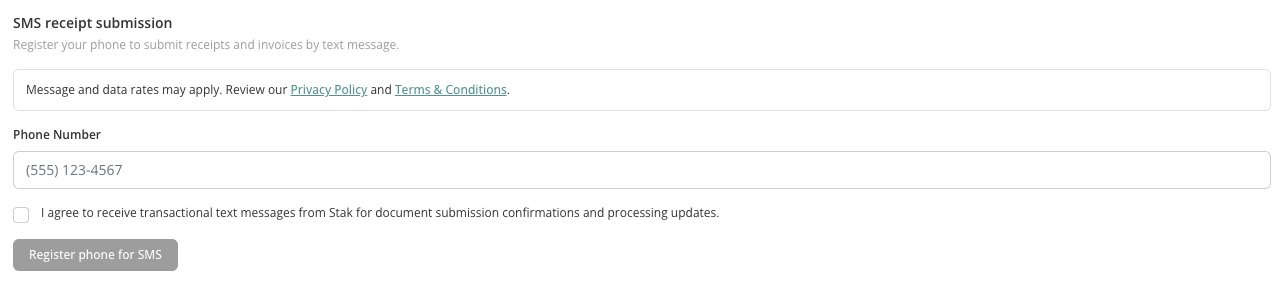
Enter your phone number and consent
Inside the Stak application, enter your mobile phone number and check the consent box agreeing to receive recurring service-related text messages from Stak. Click to receive a verification code via text.
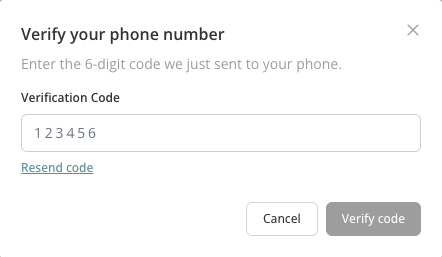
Enter the verification code
Enter the verification code you received via text message to confirm your phone number and complete the registration.
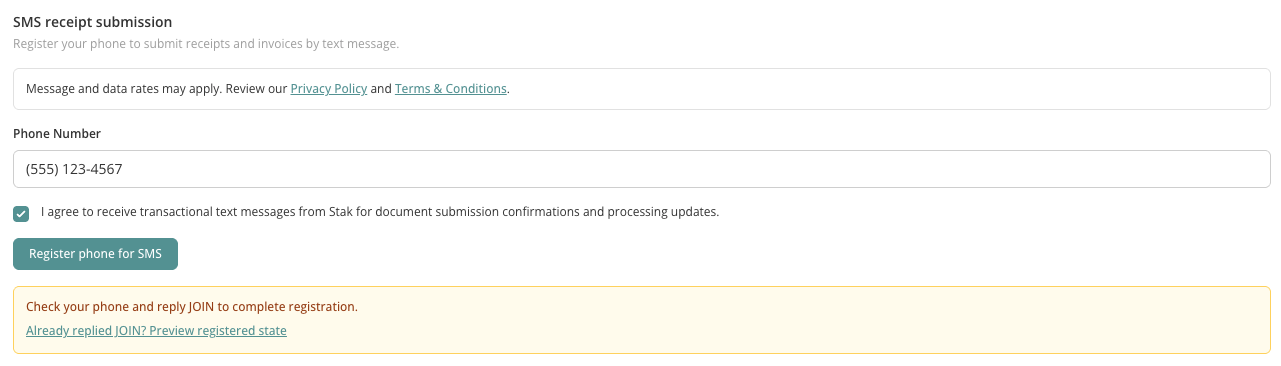
Reply JOIN to complete enrollment
When prompted, reply JOIN to the Stak number to finalize your enrollment in the SMS program. You will then be able to submit document images by text.
Important information
- Message and data rates may apply. Contact your wireless carrier for details.
- Reply STOP to any message to opt out at any time.
- Reply HELP for assistance.
For full details, see our Terms and Privacy Policy.