Keep QuickBooks. Add the construction layer it's missing.
Stak adds the project finances QuickBooks was never built for — job costing, budget-to-actuals with change orders isolated, AI invoice processing, and client-ready bills — then syncs it all back to QuickBooks Desktop or QuickBooks Online. QuickBooks stays your system of record. Live in under an hour, no rip-and-replace.
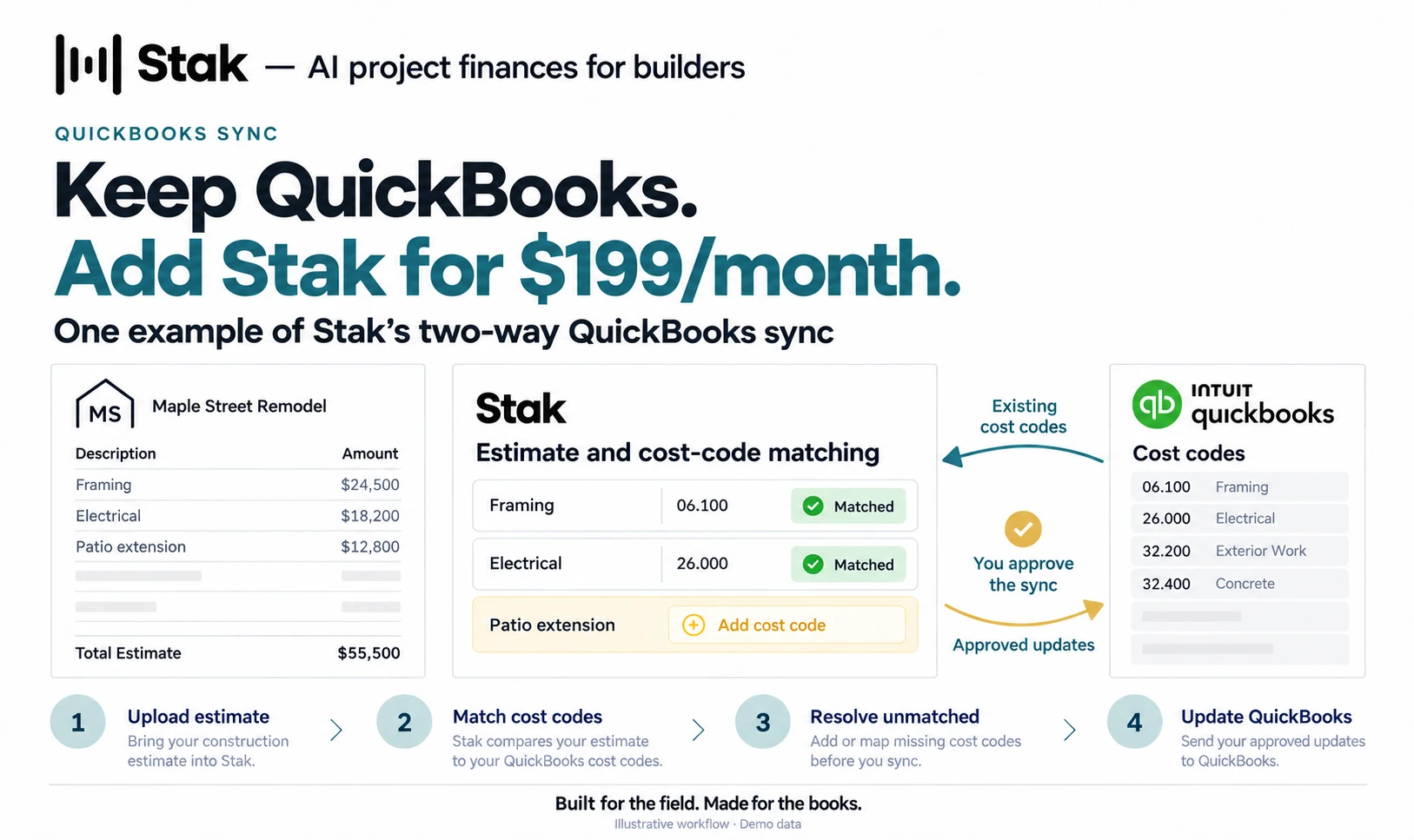
You don't need one.
QuickBooks is great at the books. It was just never built for the way contractors bill. Here's the gap, and the layer Stak adds on top.
- Clunky change orders
- Managing change orders in QuickBooks is inefficient and manual. Stak streamlines them — tracked, e-signed, and isolated from budgeted work.
- Markup & tax, automatic
- Tracking markups across projects by hand is hard and error-prone. Stak tracks and calculates markup for you automatically, and keeps sales tax up to date.
- B2A that counts change orders
- Standard budget-to-actuals reports lump change-order work into “actuals” — inflating overages against the original budget and muddying the picture. Stak’s B2A separates them, so overages reflect reality.
- Beyond what QuickBooks does
- QuickBooks doesn’t offer advanced AI document processing and cost prediction, lien waiver tracking, in-depth vendor and customer communication, or custom reporting. Stak does.
- Invoices in from the field
- Forward an invoice by email or text a photo from the job site. Stak reads it, codes it to the job and cost code, and syncs it to QuickBooks as a bill.
- Signatures built in
- Change orders and lien waivers go out for a legally binding digital signature through Dropbox Sign, straight from the project. No separate e-sign tool to pay for.
QuickBooks Alone vs. QuickBooks + Stak
Two-way sync. You stay in control.
Here's exactly how Stak and QuickBooks work together.
QuickBooks
Your books stay the source of truth
Stak reads from QuickBooks
Stak
AI project finances for builders
and writes your finished work back
You approve every sync
Never shared: card numbers, bank details, Social Security numbers
- Reads in, writes back
- The sync runs both directions — Stak reads from QuickBooks and writes your finished work back — so nothing lives in two places.
- Respects your QuickBooks records
- Your books stay the single source of truth. Stak works with your existing QuickBooks records rather than replacing them.
- You control every sync
- Nothing moves without your say-so — you decide what syncs.
- No sensitive personal data
- Stak never shares credit card numbers, bank account details, or Social Security numbers.
How to connect QuickBooks Online
Connecting happens through Intuit’s own sign-in, so you authorize Stak directly with Intuit. Stak never sees your Intuit password.
- 1
Choose QuickBooks Online in Stak
In Stak, open Account Settings and pick QuickBooks Online as your accounting software.
- 2
Connect to QuickBooks
Click Connect to QuickBooks. You sign in on Intuit’s own page and choose the QuickBooks Online company to connect.
- 3
Run your first sync
Stak prompts you to run your first sync. From then on, Stak reads from QuickBooks Online and writes your finished work back.
On QuickBooks Desktop? Stak connects to it too. The setup is different, so ask us about it on your demo.
Your data and disconnecting
You can disconnect Stak from QuickBooks at any time; our Support page has the steps for QuickBooks Online. Our Privacy Policy explains what QuickBooks Online data Stak reads and writes, how it is protected, and what happens to it when you disconnect.
QuickBooks & Stak: common questions
Already a Stak customer? Sign in to Stak to connect QuickBooks.
New to Stak? See it run on top of your QuickBooks.