AP invoice automation for builders on QuickBooks
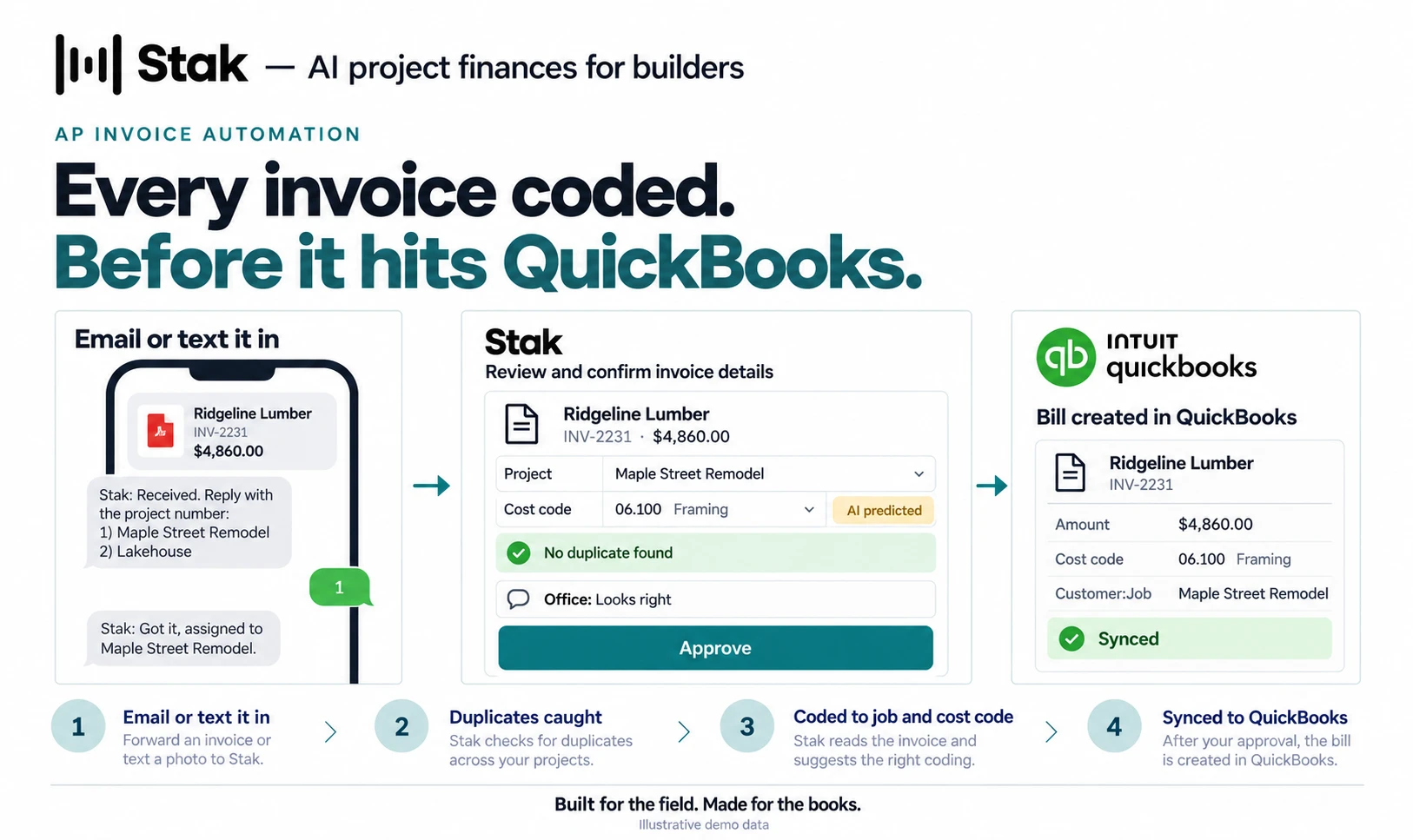
Stak reads every vendor invoice you email or text in, matches it to the right project, and codes each line to a job and cost code. A person checks the coding before it syncs to QuickBooks Desktop or Online as a bill to pay. No retyping.
See it work
How it works
- 1
Email it or text it in
Forward an invoice by email, or text a photo of a receipt or vendor invoice from the job site. Stak reads it on the spot, with no app to open.
- 2
Duplicate invoices caught
Stak detects duplicate invoices, so the same invoice doesn’t end up in your books twice.
- 3
Coded to the job and cost code
Stak matches each invoice to the right project and codes every line to a cost code, so job costs land where they belong.
- 4
Checked before it hits your books
AI predictions are paired with human oversight. Extracted invoice data and cost-code assignments are checked in the Validate step before anything reaches QuickBooks.
- 5
Your team weighs in first
Anyone in your office can comment on an AP invoice, from the office or the job site, so it’s right before it goes out.
- 6
Synced to QuickBooks
Keep your accounting workflow as it is. Approved invoices sync to QuickBooks Desktop or Online as bills to pay, cost codes included, so the data gets into your books faster and nobody types it twice.
AP invoice automation: common questions
See ap invoice automation on your own projects.