Change orders signed in minutes, not days.
Change order management for builders and remodelers
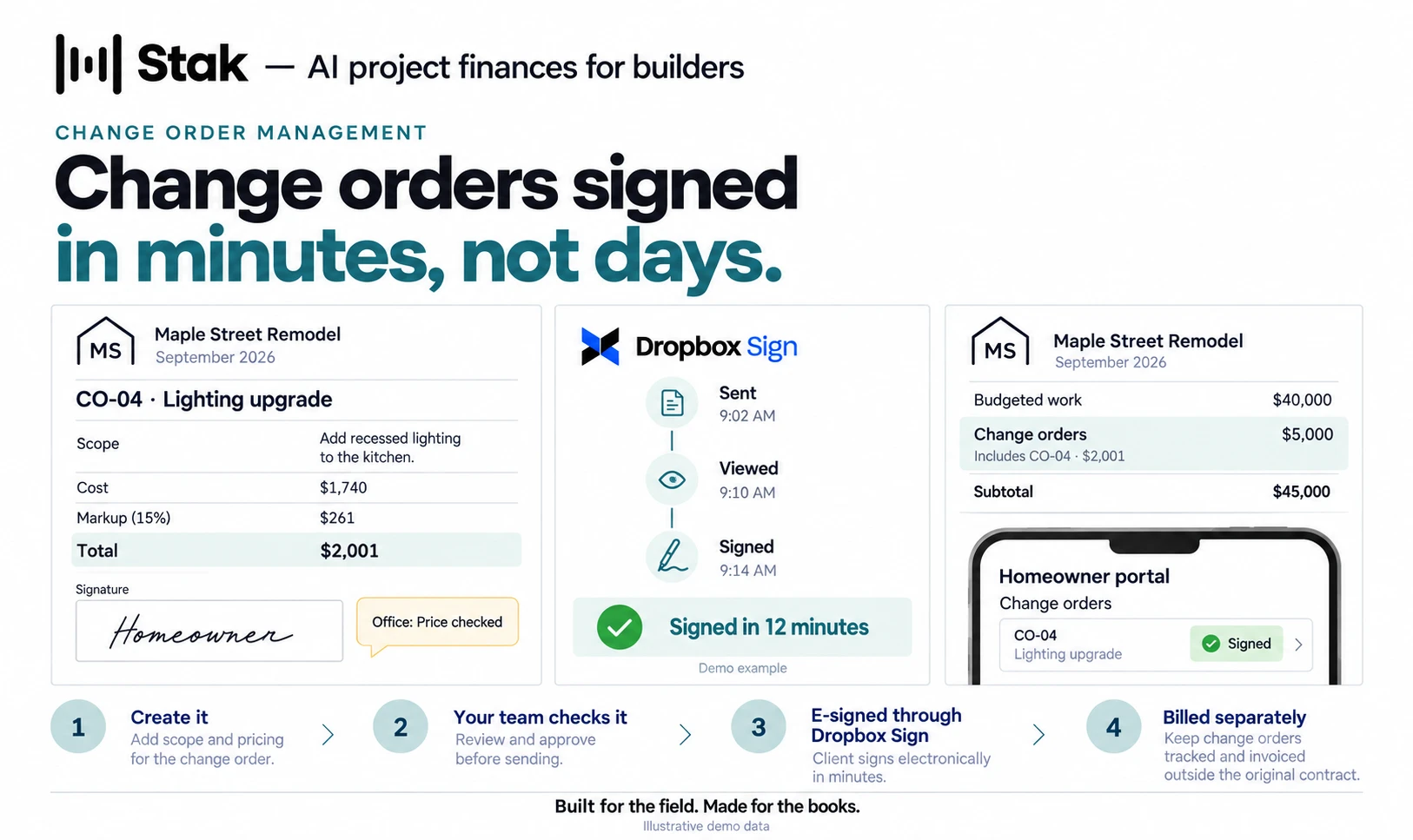
Create a change order in Stak and send it to your client for a legally binding e-signature through Dropbox Sign. Signed change orders come back in minutes, stay separate from budgeted work on every client invoice and budget-to-actuals report, and show up in your client’s portal.
How it works
- Create it, send it, get it signed
- Create a change order in Stak and send it straight to your client for a digital signature through Dropbox Sign. Approvals come back in minutes, not days.
- Billed, and kept separate
- Bill a signed change order on the client invoice. It stays separate from budgeted work on every AR invoice and report.
- Overages are obvious
- Budget-to-actuals keeps change orders isolated from what you budgeted, so overages show up early instead of at the end of the job.
- Your client sees it
- Your homeowner logs in and sees their change orders alongside invoices, progress and budget.
- Checked by your team first
- Anyone in your office can comment on a change order, from the office or the job site, so it’s right before it goes out.
- Change order reports
- Send branded change order reports alongside your AR invoices and progress reports.
Change order management: common questions
See change order management on your own projects.